
What Is the 590 App — A Quick Intro for New Users
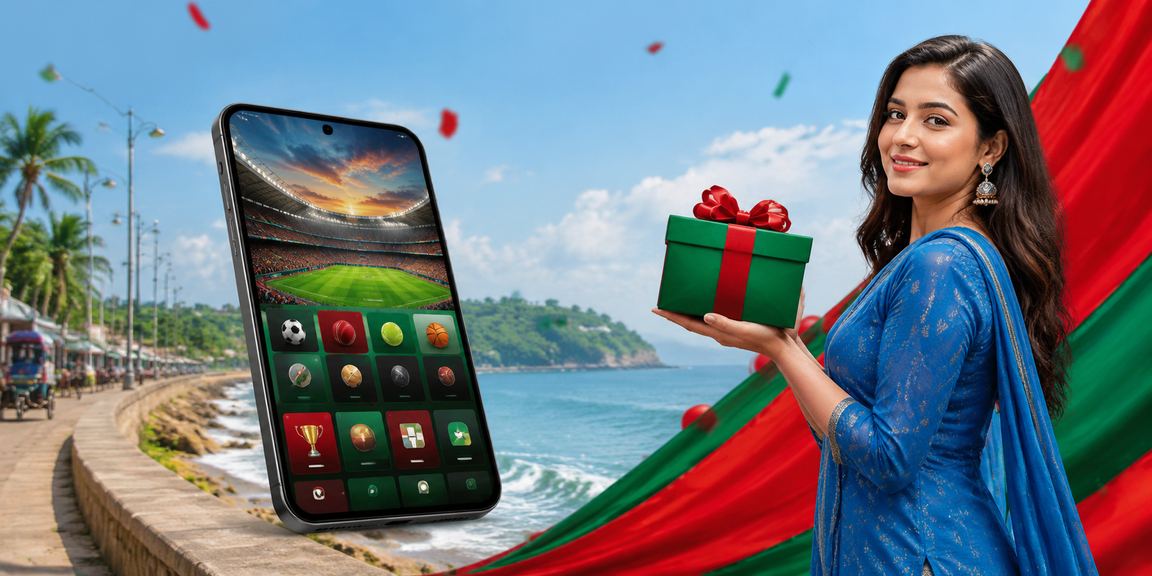
590's mobile experience works as a full web app — no separate APK or app store download required. Just open the site in Chrome or Firefox and the mobile-optimized version loads automatically.
Use the "Add to Home Screen" option in your mobile browser and 590 will be saved as a shortcut icon on your phone. From then on, it opens with a single tap — just like any app, without the browser bar.
What to know before using 590 on mobile
Setup Checklist
The site runs smoothly on any 3G connection or above. 4G is recommended for Live Betting.
The latest version of Chrome or Firefox works best. Some features may be limited on older browsers.
Keep pop-up blocking disabled in your browser for payment confirmations and login prompts.
If you stay logged in on mobile, keep your device locked. Never share your password with anyone.
Switching to your mobile payment app quickly during a deposit helps complete the transaction faster.
Key Terms in the Mobile App World
- PWA
- Progressive Web App — behaves like a native app while running as a website. Can be added to your home screen, and some features work offline.
- Dark Mode
- A dark theme that's easy on the eyes at night. 590's default interface is dark-theme based.
- Clear Cache
- Accumulated browser cache can slow down the site. Clearing your browser cache should get things running faster.
- Biometric Login
- Log in instantly with your fingerprint or Face ID — no password needed if your browser supports it.
- Push Notifications
- Allow notifications in your browser to receive match updates and promotion alerts — just like a native app.
- Latency
- How long it takes for data to travel from the server. Lower latency means odds update faster during live betting.

One Seamless Experience from Cox's Bazar to the Sundarbans
Log in to 590 from the beach in Cox's Bazar on Pohela Boishakh — the site loads fast and games run without interruption. 590's mobile interface has been tested across multiple Bangladeshi network operators.
Live betting from the beach during a cricket match is now a reality. Even on a small screen, every button is clear and easy to tap. in the Sports Betting section Go and check today's live markets.
Mobile Browser vs. Desktop — What's the Difference
| Topic | Mobile Browser | Desktop Browser |
|---|---|---|
| From Anywhere | Always | At Home or at the Office |
| Screen Size | Compact & Touch-Friendly | Large Screen, Mouse Control |
| Payment Options | Switching directly to Mobile Pay is simple | Bank Transfer Available |
| Game Quality | All Games Supported | All Games Supported |
| Notifications | Push Notifications Supported | Limited Notifications |
Five Key Aspects of the Mobile App
Live Betting on Smartphone
Live betting markets on 590's mobile interface update in real time. Odds shift after every over in a cricket match, and you can place bets instantly from your mobile. The interface is specially optimized for small screens — key buttons are always within easy reach of your thumb.
Game Loading Optimization
590's slots and casino games are optimized to load fast on mobile data. Graphics stay at normal quality even on low bandwidth. in the New Games section to try any game on mobile.
Mobile Payment Convenience
Depositing via Mobile Pay, Nagad, or Rocket is even smoother on mobile since the payment app is right on the same device. Go to the deposit page on 590, enter the amount, switch to your Mobile Pay app, complete the payment, and copy the transaction ID — the whole process takes under two minutes.
Account Management
While logged in, you can check your balance, request withdrawals, and view your betting history — all from your mobile. For any account-related questions, FAQ Page see here.
What Happens Offline
Live features won't work without an internet connection. However, if you've added the home screen shortcut, you'll get instant access the moment your connection is back.
Special Mobile Offers for Eid & Pohela Boishakh
590 runs special promotions for mobile users during major festivals — Eid ul-Fitr, Eid ul-Adha, and Pohela Boishakh may come with bonus offers or cashback on your first mobile deposit. These are time-limited, so stay active.

Same Experience in Rural & Remote Areas
Whether you're in a tea garden near the Sundarbans or a hillside village in Sylhet, 590 works just as well on mobile. The site is built for lightweight loading, so core betting and game features are fully accessible even on slow connections.
To browse with less data at night, enable your browser's data saver mode — all core features will still work, though image quality may be slightly reduced.
Common Questions About the Mobile App

Island to Hill — Bet From Wherever You Are
Visiting Saint Martin's Island and want to predict the toss for Bangladesh's match? 590 on mobile makes that possible. Wherever you are, all you need is a mobile internet connection.
590 Platform Log In and check today's matches in the Sports Betting section. From the toss to the match winner — all markets are available.